


Crochet row counter & patterns
4.5130.00 Reviews
App Specs
- Version
- 1.71.0
- Updated On
- License
- Free
- Downloads
- 500,000+
- Developer
- Crochet App - row counter, easy PDFs and patterns
- Categories
- Art & Design
- Platform
- Android
Screenshots
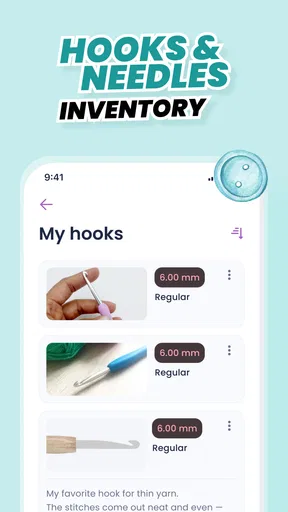
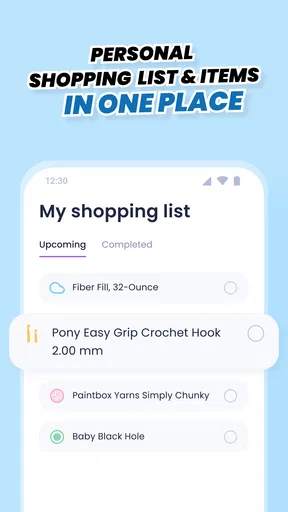
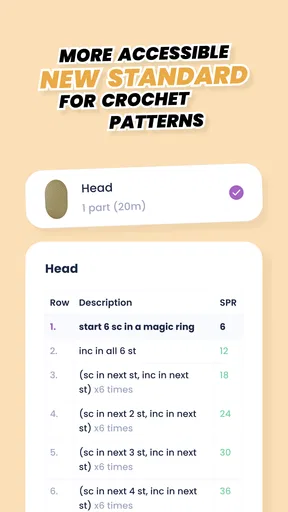
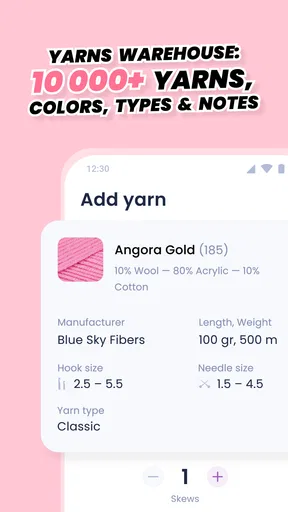
 Analysis by AppCompare
I’d approach Crochet Row Counter & Patterns as a practical place to keep crochet work from scattering across scraps of paper, phone notes, and half-remembered counts. It is an Art & Design app from Crochet App - row counter, easy PDFs and patterns, and the idea is straightforward: keep track of rows, patterns, and project details while you work. If you are new to crochet apps, that simple purpose makes the first step less intimidating; you do not need to change how you crochet to get value from it.
What to expect from a crochet companion
The app is free to install and is rated for Everyone. It has a 4.6 average from around 4,200 ratings, with over 500,000 installs, so it has found a sizeable audience among people looking for digital crochet tools. Optional in-app purchases range from $1.49 to $29.99 per item. I would treat the free starting point as a chance to see whether keeping project information in one place suits your habits before spending anything.
Its appeal is less about replacing a pattern designer or teaching every stitch from scratch and more about supporting the work around a project. A row counter is useful when a pattern asks you to repeat a sequence, while notes and project records can help you remember a yarn choice or adjustment later. The combination matters most if you often pause midway through a project and return to it after a day or two.
Getting your first project ready
After installing, I would start with one project rather than trying to organize my entire yarn life at once. Give it a clear name you will recognize at a glance, then add the pattern or notes you already rely on. If you have a useful project photo, keeping it alongside those details can make it easier to distinguish two similar pieces. The app is currently at version 1.65.0 and supports Android 7.0 or later, so it can suit some older Android devices as well as newer ones.
For a first setup, choose a project that is already underway but not complicated. That lets you test whether the counter and the way you record notes fit your normal rhythm without risking an important piece of work. I’d write down the current row or pattern repeat in the project notes before relying on a new counter. That little checkpoint gives you a way back if you tap the wrong control or open the project later and need to confirm where you stopped.
Your first useful action: count a row
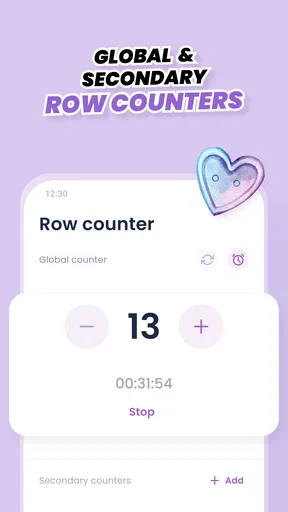
When you begin stitching, use the counter as a deliberate checkpoint: finish the row, tap once, then glance at the number before moving on. The option to subtract is handy if you tap twice or undo a row, and multiple counters can help when one project has separate pieces or repeating sections. I would keep the labels meaningful rather than leaving several counters indistinguishable; “sleeve” or “back panel” is more helpful than a series of unnamed totals.
A realistic use is taking a small crochet project on a commute or to a waiting room. You finish a row, record it, and put the work away without searching for a pen or trying to remember the count. When you come back home, the saved project details give you a better starting point than a loose note in your pocket. It will not make the stitching itself faster, but it can remove the mental bookkeeping that interrupts it.
Worth Reading Before You Choose

EA SPORTS FC Mobile 26 Is a Bigger Football Game, but It Takes Time

Flipboard Shows What News Apps Must Do Beyond the Feed

Switching to Android Auto Means Rethinking Your Driving Routine

Google Calendar Makes a Crowded Week Easier to Manage

Ludo King Makes the Most of the Minutes Between Plans

Baby Panda World Brings Quick Play to Modern Phones, but Its Game Library Feels Busy
Patterns, notes, and the places to be careful
The app’s pattern collection can be a convenient place to browse when you want an idea for your next project, and saving favorites helps keep promising options within reach. I would still read a pattern through before starting, especially if you are a beginner or the design includes unfamiliar abbreviations. A counter can track progress, but it cannot replace understanding the instructions or checking that your stitch count matches the pattern.
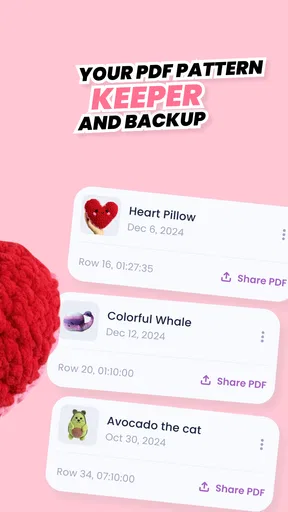
The notes and PDF-oriented tools are especially useful when you make small changes: record a hook-size choice, a fit adjustment, or where you changed a repeat. This is more reliable than trusting yourself to remember why one side looks different a week later. One trade-off is that a digital record only helps if you keep it current. If you switch between paper and the app without updating both, the two records can disagree; pick one as the main reference for each project.
Who will get the most from it
I can see this fitting crocheters who rotate between projects, work from patterns, or regularly lose their place after putting their hook down. It is also useful for someone who wants a modest project log rather than a dedicated spreadsheet: the counter handles progress, while notes and photos add context. The developer’s name, Crochet App - row counter, easy PDFs and patterns, makes the focus clear, and that focus is exactly why the app is most convincing when crochet is already part of your routine.
If you only make occasional simple pieces and can keep count in your head, a separate physical clicker or a pencil mark on the printed pattern may be quicker. Those options are also preferable if you want to avoid looking at a screen while crafting. Likewise, if you need a full project-planning system with detailed inventory reports, expect to compare it with a more specialized organizer rather than assuming a row counter will cover every planning task.
How it compares with familiar alternatives
Compared with a paper tally, a phone counter is easier to keep with you and can sit beside project notes, but a paper mark is visible at a glance and never needs you to unlock a device. Compared with a generic tally-counter app, this one is more tailored to crochet because the broader project and pattern context matters alongside the count. The trade-off is that an app with several tools may feel like more setup than a single-purpose counter if all you want is one number.
I would also avoid treating any pattern library as the only source you need. Many crocheters already have favorite books, printed instructions, or patterns saved elsewhere. This app can complement those by helping you track progress and keep notes, rather than forcing you to abandon a workflow that works. Before committing a long project to it, try entering one pattern and see whether the way you prefer to mark repeats translates comfortably to the app.
Getting Hooked on the Basics
When I first downloaded this app, I was immediately impressed by its clean and intuitive design. It's like the developers knew exactly what we yarn enthusiasts needed. The main dashboard is straightforward, offering quick access to all the essential features. You can easily navigate between counting rows, managing multiple projects, and browsing through a variety of patterns.
Counting Made Easy
The row counter feature is a game-changer, especially for those complex patterns where losing track is not an option. You simply tap the screen to add a row, and there’s even an option to subtract if you accidentally make a mistake. I found the ability to manage multiple counters simultaneously super handy when juggling a few projects at once.
A Pattern Paradise
One of the app's standout features is its library of crochet patterns. Whether you're a beginner looking for a simple scarf or a pro aiming to tackle a more intricate design, there's something for everyone. The patterns are well-categorized, and you can even save your favorites for easy access later. Plus, the instructions are clear and concise, making it easy to follow along without any hiccups.
Customization and Personal Touches
The app allows for a bit of personalization, which I absolutely love. You can name your projects, add photos, and even set reminders to keep you on track. The ability to add notes is a lifesaver, especially when you need to jot down quick adjustments or ideas. It’s these small touches that make the Crochet Row Counter & Patterns app feel like it was designed just for you.
Sharing and Community
Another feature worth mentioning is the app’s community aspect. You can share your projects and get feedback from fellow crocheters. It’s a great way to get inspired, exchange tips, or simply admire the creativity of others. The crochet community is warm and welcoming, and this app does a fantastic job of fostering that sense of connection.
Stitching Up Any Loose Ends
While the app is fantastic, it's not without its minor hiccups. I noticed that the app occasionally lags when switching between projects, but it's nothing that a quick update wouldn't fix. Also, while the free version is quite robust, there are some additional features locked behind a paywall. However, for the avid crocheter, the premium version might be worth the investment.
All in all, the Crochet Row Counter & Patterns app is a must-have for anyone serious about their crochet work. It combines practical tools with a delightful user experience, making our yarn adventures a whole lot smoother. So, if you haven’t already, give it a try and see how it can transform your crochet game!
Pros
- User-friendly interface for easy navigation.
- Customizable row counting for various projects.
- Syncs data across multiple devices.
- Includes pattern library for quick access.
- Offline access to saved patterns and counts.
Cons
- Limited free pattern options available.
- Ads can be intrusive during use.
- No dark mode for nighttime use.
- In-app purchases required for premium features.
- Occasional sync issues reported by users.
FAQs for Crochet row counter & patterns
What features does the Crochet Row Counter & Patterns app offer?
The app provides a comprehensive set of features including a row counter, stitch counter, and customizable patterns. It also allows users to track multiple projects simultaneously, offers a library of pre-designed patterns, and includes a community forum for sharing tips and advice with fellow crochet enthusiasts.
Is the Crochet Row Counter & Patterns app suitable for beginners?
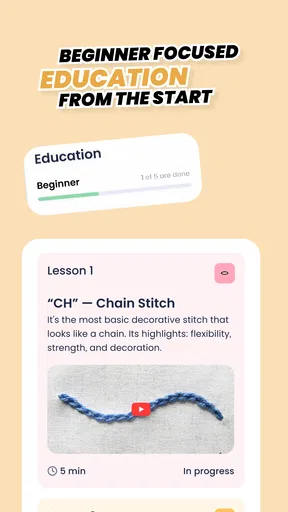
Absolutely. The app is designed with an intuitive interface that is easy for beginners to navigate. It includes tutorials and beginner-friendly patterns to help new users learn the basics of crochet. Additionally, the user community is supportive and can offer guidance and tips for those just starting out.
Can I use the app offline?
Yes, the Crochet Row Counter & Patterns app supports offline functionality. Once you've downloaded your patterns or set up your projects, you can access them without an internet connection. This makes it convenient for users who like to crochet on the go or in areas with limited internet access.
Are there any in-app purchases?
While the app is free to download, it does offer in-app purchases. These include premium patterns, additional storage for projects, and customization options. Users can choose to purchase these extras to enhance their experience, but the basic features are available at no cost.
How do I troubleshoot issues with the app?
If you encounter any issues, the app provides a help section with troubleshooting tips and an FAQ. Users can also contact customer support directly through the app for personalized assistance. Additionally, checking for app updates can often resolve any technical glitches.


